Text-to-Speech Pronunciation Guide: Fix Names, Acronyms, and Numbers
A practical TTS pronunciation workflow for names, acronyms, homographs, dates, and technical terms—without breaking the rest of your script.
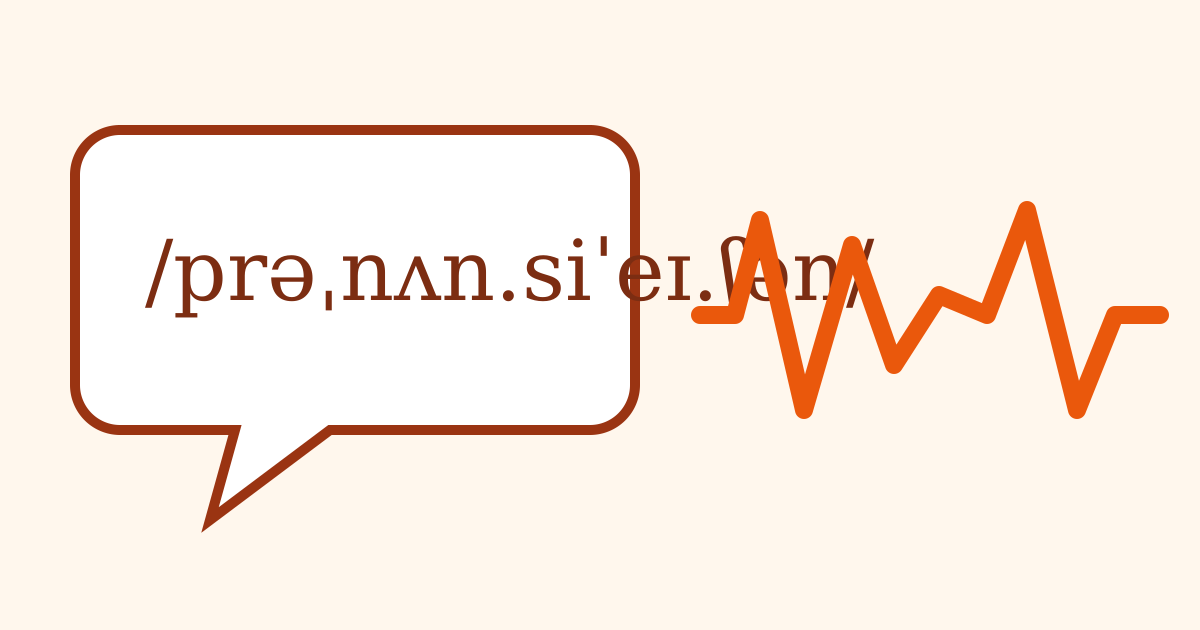
A text-to-speech voice can read a full paragraph beautifully and still ruin the one word your audience cares about most: a person’s name, a product, a town, or a specialist term. Random punctuation and increasingly strange spellings sometimes fix that word, but they can also change stress, timing, and pronunciation elsewhere.
Treat pronunciation as a small quality-assurance system. Identify risky terms, establish the intended spoken form, test fixes in context, and preserve the result in a project glossary. This is faster and more reliable than rediscovering the same workaround in every script.
First decide what “correct” means
Some words have one established pronunciation. Others depend on the person, company, region, or context. Before editing the script, find an authoritative reference.
Use this order:
- A recording from the person or organization.
- An official pronunciation guide or product video.
- A reputable dictionary for ordinary words.
- A native speaker or subject-matter expert for names and specialist language.
- A documented editorial decision when several variants are acceptable.
Write the target in plain language, for example:
| Term | Intended sound | Note |
|---|---|---|
| API | “A P I” | Say individual letters |
| SQL | “sequel” | Project convention |
| live | rhymes with “give” | Used as a verb |
| Nguyen | person-provided recording | Do not substitute a generic guess |
The point is not to create a perfect linguistic dictionary. It is to make the production decision visible and repeatable.
Test the unedited term in a real sentence
Do not begin with a phonetic rewrite. Generate the original spelling in at least two short sentences:
We spoke with Nguyen about the release.
Nguyen will lead the next demonstration.
Words can sound different depending on their neighbors and sentence position. A fix that works in isolation may get the wrong stress in a phrase. Use the same voice, speed, and language settings planned for the final recording.
Save the baseline clip. When you compare alternatives from memory, the newest version often feels “better” merely because it is new.
Use the least invasive fix
Work through these techniques from smallest to largest change.
1. Expand abbreviations
Write the intended spoken form:
Dr.becomesDoctor.St.becomesStreetorSaint, depending on meaning.APIbecomesA P Iwhen the engine tries to say it as a word.No. 4becomesnumber four.
Spaces between letters are widely understandable in plain-text workflows, but test the result. Some engines insert too much silence. A hyphenated version may behave differently.
2. Normalize numbers and symbols
Write what the number means rather than leaving the engine to infer it:
3.05→ “three point zero five”2026→ “twenty twenty-six” or “two thousand twenty-six”5'10"→ “five feet ten inches”10–12→ “ten to twelve”@name→ “at name”
Context decides the correct expansion. A room number, year, decimal, and telephone number should not share one rule.
3. Change capitalization or boundaries
Mixed-case brands, compounds, and file names can confuse tokenization. Adding a space may reveal the intended parts. Use this only in the narration copy, never as a silent change to the official written name.
For example, a fictional name BrightWaveX might work as “Bright Wave X.” Keep the display spelling in captions and credits if that is the brand’s official form.
4. Try a readable phonetic respelling
Break the word into syllables and emphasize the stressed part in a way your engine understands. There is no universal plain-text phonetic notation. nee-OH, nee oh, and knee-oh may all behave differently.
Change one element at a time:
- Separate syllables.
- Adjust a vowel spelling.
- Add or remove a hyphen.
- Change capitalization if the voice uses it for emphasis.
Avoid surrounding the word with excessive commas. You may fix the consonants but produce an unnatural pause.
5. Use provider pronunciation controls
Some systems support pronunciation dictionaries, phoneme tags, or Speech Synthesis Markup Language. SSML defines elements for pronunciation, pauses, emphasis, and related controls, but each provider supports a different subset. The W3C Speech Synthesis Markup Language specification is the standard reference; your provider’s documentation is the practical authority for what actually works.
Keep a plain-text fallback even when you use markup. It makes the script portable and helps reviewers understand the intended sound.
Handle the hard categories deliberately
Personal and place names
Ask when you can. A short voice note from the person is better than a confident guess. Record the source and date in the glossary. For public figures, use a first-party interview or official introduction when available.
Do not “correct” someone’s own pronunciation to match an unrelated dictionary entry. Names belong to their bearers.
Acronyms and initialisms
Determine whether the term is spoken as a word, as letters, or in a mixed form. “NASA,” “FBI,” and “JPEG” use different patterns. Industry communities may use multiple variants, so follow the audience or project convention.
Homographs
Words such as “live,” “read,” “lead,” “record,” and “project” change pronunciation with meaning or grammar. Rewriting the surrounding sentence is often safer than altering the word:
“We will present the record” can become “We will show the saved record.”
The extra context helps both the engine and listener.
Multilingual phrases
First confirm that the selected voice supports the language. A phonetic English approximation is not a substitute for a voice capable of the target language, especially for people’s names or culturally important phrases.
When a script switches languages, test the boundary sentence. The words before and after the switch can affect rhythm. If the provider supports language tags, use them according to its documentation.
Technical notation
Code, formulas, chemical names, and version strings need an editorial spoken form. Decide how much precision the audience needs. Reading every punctuation character may be correct for a coding tutorial and unbearable in a product overview.
Pair the audio with visible text or a transcript so listeners can verify exact notation.
Keep captions faithful to the published audio
The narration copy may contain phonetic spellings that would look wrong to readers. Captions and transcripts should normally use the correct written term while representing what was actually said.
Maintain three columns when a project is terminology-heavy:
| Display text | Narration input | Approved sound |
|---|---|---|
| Kubernetes | tested provider spelling | project reference clip |
| v2.3.1 | version two point three point one | exact version |
| 18°C | eighteen degrees Celsius | include unit |
The W3C transcription guidance emphasizes accurate, honest transcription and relevant speaker or sound information. Treat the transcript as part of the content, not a dump of your phonetic workarounds.
Run a pronunciation QA pass
Before final export:
- Extract names, acronyms, numbers, foreign terms, and homographs.
- Confirm the intended pronunciation with the best available source.
- Test the original spelling in a real sentence.
- Apply the smallest effective change.
- Re-test the full paragraph for stress and timing.
- Listen on headphones and an ordinary phone speaker.
- Put the successful form in the project glossary.
- Keep official spelling in on-screen text and transcripts.
- Recheck the glossary when changing voices or providers.
When possible, have another person listen without seeing the target word. Ask what they heard. Recognition is a better test than “Does this seem close?”
Build a reusable pronunciation asset
The highest-leverage result is not one corrected audio file. It is a versioned glossary containing the term, intended sound, source, narration form, voice tested, and a short reference clip.
Use the script-formatting guide to prepare a clean listening copy, then test difficult lines in the free TTS tool. If you later change voices, re-run the glossary sample before rendering the entire project. Pronunciation fixes are implementation details, and implementation details need regression tests.
Recommended reading
How to Format a Text-to-Speech Script for Natural Narration
Turn ordinary copy into a clean TTS script with better pauses, pronunciation, sentence rhythm, and a repeatable listening-based editing workflow.

Synthetic Voice Disclosure: A Practical Publishing Checklist
Decide when and how to disclose synthetic narration, document consent and provenance, follow platform controls, and avoid misleading voice use.
Accessible Audio Content: A Practical Captions and Transcript Guide
Plan captions, transcripts, visual descriptions, playback controls, and audio QA from the start so podcasts, videos, and narration reach more people.